

Ubuntu VPS
Enjoy a secure, user-friendly private server with Ubuntu VPS
The industry’s fastest VPS speeds and the best expert support, combined with the flexibility and easy interface of Ubuntu.

General Ubuntu VPS
Memory Ubuntu VPS
CPU Ubuntu VPS
The fastest, most secure Ubuntu VPS are at Liquid Web
Liquid Web has been leading the industry in VPS hosting for decades. Our virtual private servers easily spin up with the Ubuntu OS to maximize your server management experience.
Maximum flexibility
Every Liquid Web VPS comes with root access, so you can customize every inch of your Ubuntu server.
100% uptime
All major routing devices in our network are always reachable. Guaranteed.
Unbeatable security
Add our Server Secure package, real-time DDoS monitoring, and a fully integrated firewall to the security provided by the open-source Ubuntu community.
Incremental pricing
No unexpected price jumps or forced upgrades here. In fact, we prorate resources you don’t use back to your account every month.
Private infrastructure
Enjoy improved transparency and quicker incident resolution from private data centers with no third-party vendors.
Multiple backups
Add manual backs from your control panel or off-server backups with Acronis Cyber Backups.
The power of Ubuntu VPS
Ubuntu is an open-source OS, based on Linux, that is known for stability, security, and ease of use. The active Ubuntu community makes sure that it gets regular updates and remains reliable. It’s also very lightweight, which allows it to run efficiently on a VPS
Reputable VPS hosting is already flexible and secure, and Ubuntu provides a user-friendly OS that doesn’t get in the way. It’s an excellent choice for beginners and experienced admins looking for a reliable VPS solution.
Let our experts match you with the ideal hosting solution
Ubuntu VPS FAQ
A virtual private server (VPS) is a hosting arrangement that creates a virtual, dedicated server environment within a larger physical server. Multiple independent units are spawned from the physical machine using software called a hypervisor. Each virtual machine is a private server, but shares the resources of the parent server.
Ubuntu (oo-BOON-too) is a free, open-source operating system, based on Debian Linux.
Ubuntu Server is a version of the Ubuntu OS designed for servers. It creates a stable platform for hosting websites, managing networks, and running apps. It’s known for minimal resource usage and built-in security features.
An Ubuntu VPS is simply a Linux-based virtual private server (VPS) that’s running on the Ubuntu OS.
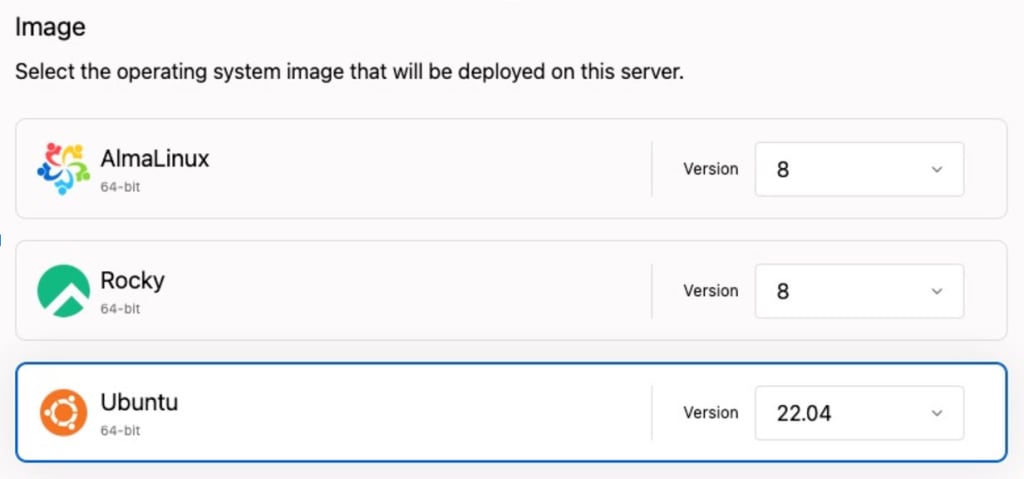
There are a couple of ways to get an Ubuntu VPS. You can download Ubuntu and install it on your server. Or you can order a Liquid Web VPS and simply select Ubuntu during configuration.
To find your VPS IP address in Ubuntu, open your terminal and run the command “ifconfig” or “ip addr”; the IP address will be displayed next to “inet addr” for the active network interface.
- Confirm that your version of Ubuntu supports virtualization or enable virtualization if it does not.
- Update your OS repositories via the apt update command. Then install KVM, virt-manager, bridge-utils, and its dependencies.
- Create a virtual machine (VM) using a KVM.
For details and screenshots of each step, see Setting up a KVM on Ubuntu for virtualization.
The best thing you can do to secure an Ubuntu VPS is to work with a VPS hosting provider that prioritizes security. Liquid Web, for example, offers a Server Secure package, real-time DDoS monitoring, and a fully integrated firewall on VPS hosting.
Once your VPS is established, you’ll also want to:
Secure the root user, if you didn’t do this during the installation process.
Secure SSH access
Make sure the Uncomplicated Firewall (UFW) is installed and set up a firewall if it’s not already.
Keep the file system up to date.
For complete details, see The First 5 Tasks a New Ubuntu Server.